Her gün sizlere, piyasa değeri onlarca dolar olan bir programı tamamen ücretsiz olarak sunuyoruz!

Giveaway of the day — Music Maker ($30 free promocode for the In-App Store)
Music Maker ($30 free promocode for the In-App Store) giveaway olarak 13 Nisan 2017 tarihinde sunulmuştu

Magix Software her kullanıcı için In-App Storу'de 30 USD değerinde promosyon kodu veriyor!
Kod 13 Nisan tarihinden itibaren 31 Mayıs tarihine kadar Music Maker In-App-Store'da geçerlidir
Music Maker ile kendi müziğinizi yaratmak çok kolaydır. PC, fare ve klavye kullanarak kendi müziğinizin yapımcılığını yapın. Music Maker'a ait özel loop paketleri, yeni efekt şablonları ve süper program enstrümanları ile müzik şölenine hazırlanın.
Ana Özellikler:
- 425 ses ve loop
- 1 Soundpool
- 3 program enstrümanı
- 8 kanal
- 8 efekt
Sistem Gereksinimleri:
Windows 7 /8 /10; Processor: 2 GHz ; RAM: 2 GB; Graphics card: Onboard, min. resolution 1280 x 768 ; Sound card: Onboard
Yayıncı:
MAGIX Software GmbHWeb sayfası:
http://www.magix.com/us/music-maker-editions/Dosya boyutu:
682 MB
Fiyat:
$30
Öne çıkan programlar
Take your songs to the next level.
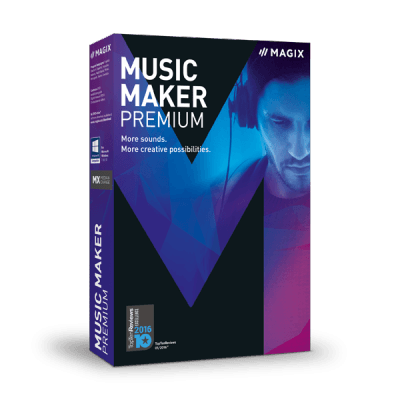
Music Maker Premium Editionis a unique virtual studio with more than 8,000 included sounds, intuitive drag & drop controls, countless instruments and professional functions for mixing & mastering.
Buy only for $99.99 (Regularly $129.99). Only for GOTD users!
Coupon Code: 23musicmakerpremium
Validity: from April 13 until April 16
Music Maker ($30 free promocode for the In-App Store) üzerine yorumlar
Please add a comment explaining the reason behind your vote.

What a superb GAOTD!
First, lets be upfront with regards to the biggest drawback concerning todays giveaway: it is a 680MB download. For me, on an 80Mbit fibre connection its not so bad (a couple of minutes), but I can see that anyone on a slow DSL connection this is an issue.
Once downloaded, unzip the software. Two files, the installer and a readme with the installations instructions, which are simple enough; double click on setup.exe and follow the on-screen prompts. Choose default or custom installation. Custom allows you to specify the installation directory, and directories for the software to store soundbanks, project files, etc. Very handy if you want the core program on your C: drive, for example, and sound files, project files, etc, stored elsewhere. In my case, I had the software installed into the usual C:\Program Files, and everything else on a different physical drive.
It doesn't appear to use the GAOTD wrapper - thankfully, as this has historically caused problems for many users, me included, on an irregular basis.
The program ran fine on my machine (Intel i3770K, 32GB RAM, Win 7 64bit). It opens on its own screen, using the full width of my desktop (dual monitors, 5120x1440), and on startup loaded the supplied example 'song' (? music? sequence? riff? I'm not a musician! Let's stick with 'song'). The supplied multi-track song is a great demonstration of the software: simple instrumental loops, including drums, bass, strings, and a vocal track showcase how easy it is to arrange groups of sounds to produce a song.
Easy, of course, if you have an ear for music. A few minutes of playing and I had very easily created a car-crash of a song of horrendous proportions. But I had fun doing so!
I did encounter one initial problem; no sound. Music Maker uses ASIO low-latency audio, installing the ASIO driver and defaulting to outputting it's audio to the ASIO device. I hadn't delved into the manual (and still haven't) to configure this to map to my speakers, so was getting no audio. A gear icon on the top menu bar opens the Configuration menu, Audio/MIDI tab has options for Audio playback, setting this to Direct Sound resulted in sound!
Looking at the interface, the program has a very simple menu layout on the top menu bar; new project, open project, save project and config icons, then standard menu items for File, Edit, Effects, View, Share, and Help. Each of these has just a few drop-down menu options, leading to a simple, clean, and slick interface. The menu tools cover what needs to be done, and rather than try to describe them, it's simpler to say that MM is like a text editor, but for music: cut, copy, duplicate, paste, insert for single objects (samples), ranges, or entire tracks. Change pitch, tempo, volume. There are some audio effects such as a 10-band equalizer, compressor, echo, reverb. And an interesting menu item called "Video Effects", which I haven't yet tried...
The Configuration menu, briefly touched on, has 4 tabs covering
General Options - how the Arranger works; project auto-save every x minutes; program UI options (dim the interface, hide/show news, text size); hints on/off; Medial Pool options
Import - sample previews; auto-stretch samples to match bpm; working with Remix Agent; pitch control of wav file; midi editing options; import formats (extensive!), VSTi synthesizers, MIDI files; preview of files (including audio, video, images, and 'soft' files)
Audio/MIDI - primary sound drive and advanced options (from 8bit mono at 11.025Khz to 16-bit stereo at 44.1KHz), support for pitch control, playback rate, sync, volume, L/R volume); audio driver selection (wave, direct sound, ASIO, WASAPI); audio buffer size; MIDI configuration and control; and options such as wave file size, undo size, MIDI keyboard
Folders - the locations of folders chosen by custom or default installation, in case you want to re-configure later.
Quick, clean, intuitive, and above all slick and easy-to-use.
Instruments, and loops, are controlled via a panel on the right hand side of the screen. Instruments are grouped by category, such as bass, drums, keys, strings, etc. Click on a category, and the sampled sounds for each are shown in a panel below. Clicking on an entry plays it. Drag a sample from here onto the multi-track screen drops it into your song. This really is drag-and-drop song creation, a visual music composer. Once on the track, samples can be edited, e.g. pitch changed, stretched, shortened, etc. Its actually so easy to use, it's a challenge to describe!
The real skill is of course, having a musical ear to drag, drop, arrange in a way that produces something pleasing at the end! But even if you are not a musician or a composer, this is simply endless hours of fun!
Finally, at the bottom of the screen is an on-screen keyboard. Guess what, clicking on a key produces a sound. Useful for keyboard composition. The sound produced depends on what sample is loaded.
Perhaps the most interesting feature of todays GAOTD is the $30 coupon. Instructions are included in the readme, but essentially clicking on the Store button loads the various extra soundbanks on offer. Excellent, one doesn't have to leave the software to purchase extra soundbanks. And there are lots of them. Lots and lots! The average price is $14.99 per bank, with some collections available for $34.99 - excellent value, as they consist of 5 standard packs.
The range of banks on offers is huge, including 80s (3 different banks), dubstep, R'n'B, pop, 'metal', techno, house, latin, just to name a few music categories, and atmospheric banks such as sci-fi, fantasy, adventure, 'forbidden', e.g. 'mood' tracks suitable for films. Each may be previewed, albeit with an - unobtrusive - audio watermark. I spent an hour just exploring and listening to these very high-quality samples. I'm spoiled for choice here!
All in all, I've only touched the surface of the software. It does what it says on the tin, and does it very very well. Hugely recommended. This is another fantastic GAOTD, so thanks to the team at GAOTD for securing it, and MAGIX for making it available, especially the $30 store credit.

Looking at the Homepage, the version featured here (425 sounds etc) is free for everybody. So in what way is it a special GAoD offer?
If you don't associate the brand name Magix with higher quality software, Magix has for some time been buying up select media-related software companies, in some cases folding the software into a Magix branded product line, e.g. Music Maker, other times keeping the name, e.g. Vegas & Samplitude. This allows [allowed] them to leapfrog their own development efforts, if you had experience with or remember their in-house music & video apps from the early 1/2 of the 2000s, which was generally more-or-less entry level stuff.
I **think** the idea behind Music Maker is similar to the marketing behind several other media apps, e.g. Hitfilm, attracting the novice with free or very low cost software, then letting them expand as their skills & interest grow. Music Maker [like Hitfilm] lets you purchase add-on capabilities, whereas brands like Presonus give away one version, hoping you'll later buy a more capable, and expensive product that still uses everything you've learned.
Music Maker itself will let you do pro level work, and while you can do editing etc., it's forte is making [creating] new music -- for editing the Magix app of choice would be one of the Sound Forge versions.
Music Maker lets you work with loops... I think the easiest way to explain how this works is to Google something like "creating music with loops" [w/out quotes], which brings up lots of articles & tutorials. It's quite common, even on stage, and used with quite a few hits. And Music Maker lets you use MIDI instruments.
Starting at probably around $50 & going [Way] up in price from there, a MIDI keyboard lets you tell the software what note you're playing, how -- features that mimic the expressiveness of a fine piano are available on more expensive keyboards, & that's very generally why some are more expensive than others. Music Maker *Plays* those notes using one of their software instruments -- think synthesizer with many controls to tailor the sound. The result can be anything from drums to something like a Moog synthesizer to a piano or organ to maybe a trumpet or guitar. Finer instruments like this use actual recordings of the real instrument.
You can buy things like loops & instruments in the Music Maker store [in app], or you can use VST plug-ins, though those come with a catch [that Magix should fix IMHO]. At least the free version of Music Maker requires you to put your VST plug-ins in one of the program's sub-folders, which is not standard practice -- normally you have one VST folder registered in or with Windows, so all apps that can use them find them & will, with better apps letting you add additional VST folders. The VST plug-ins that you buy in app are also a special format -- you can't use them in other brands of audio software. [You could probably use the loop packages you buy, but I never tried this.]
Music Maker itself will take some learning, but so will other brands of software with similar capabilities. If you want easier, check out the Acid apps that Magix bought from Sony along with Vegas. They focus on using loops.
One comment talks about recording... just recording audio is actually quite simple, and Music Maker can handle it, but it's not the software's forte. If you start really getting into recording vocals you'll probably want to use something else, at least for your vocal tracks. And apps like Acid would probably be better, or at least more flexible, if you wanted to record your own loops, easily letting you set or alter things like BPM. [Artists have used everything from rusted car door hinges to toilets flushing -- really any sort of sound you can thing of.]
Big download, sort of. Almost 700 MB, but it moved at a good speed.
Easy install & activation on Win 8.
This is a fun tool, reminds me a bit of apple's GarageBand in it's functionality. It's been about 6 or 7 years since I had a mac though and that may no longer be true.
Nice thing from the read me "The Coupon Code is valid from April 13 until May 31" - a rare approach and one I like!
I'm looking forward to making HORRIBLE music with this :) (only horrible because of my talent level - not because the software has flaws!).
Just restarted my computer and got a popup advertisement in the system tray. This is a deal breaker for me. Can this be turned off?
Günlük iPhone önerileri »





Günlük Android önerileri »






Gayet güzel ve kullanışlı bir program.Daha önce music maker 2013 ve diğer versiyonlarını deneme fırsatım oldu. "Giveaway of the day" sitesi ve ekibine bu programı sundukları için 'Teşekkür Ederim...', ayrıca "Music Maker Jam" programını da tavsiye ederim.
Save | Cancel