Her gün sizlere, piyasa değeri onlarca dolar olan bir programı tamamen ücretsiz olarak sunuyoruz!
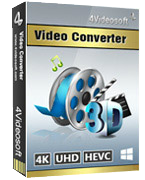
Giveaway of the day — 4Videosoft Video Converter 6.0
4Videosoft Video Converter 6.0 giveaway olarak 16 Nisan 2016 tarihinde sunulmuştu
4Videosoft Video Converter is the most professional multifunctional total video converter, which supports all video and audio formats, including SD, HD, and 4K UHD videos. It converts videos to other video and audio formats (MP4, M4V, WMV, MOV, AVI, MKV, FLV, MP3, WMA, etc.) for playing on portable players (iPhone SE, iPhone 6 Plus/6s Plus, iPhone 6/6s/5/5s/5c/4S/3GS, iPad Pro/Air, iPod touch, iPad Mini, iPad Mini 2, iRiver, PSP) and other portable devices.
This program gives a new enhancing function for you to improve video quality. It provides you with a clear and clean screen by upscaling resolution and removing video noise. Also, it can clip/merge/rotate/turn to 3d/watermark/edit video and audio effects for your pleasure.
4Videosoft provides a 50% off coupon code: VIDEGOTD (apply to recommended products and other products) for all GOTD users.
Sistem Gereksinimleri:
Windows 2K/ XP/ Vista/ 7/ 8
Yayıncı:
4Videosoft StudioWeb sayfası:
http://www.4videosoft.com/video-converter-platinum.htmlDosya boyutu:
48.8 MB
Fiyat:
$39.95
Öne çıkan programlar
4Videosoft DVD Copy is the cloning and backup software to copy homemade DVD disc, DVD folder and ISO image file. It can make a backup of homemade DVD movies to DVD folder and ISO image file on PC, and burn local DVD folder or ISO image files to DVD, compatible with most kinds of DVD disc. Now get 4Videosoft DVD Copy with 50% OFF Coupon: VIDEGOTD

4Videosoft DVD creator provides the best solution to convert any popular video formats such as MP4, MOV, AVI, WMV, 3GP, MKV, MTS, etc. to DVD disc, DVD folder and ISO file. This DVD Creator enables you to customize the DVD menu by choosing the DVD template, background, frame style, button type and title content. Now get 4Videosoft DVD Creator with 50% OFF Coupon: VIDEGOTD
4Videosoft DVD Ripper is the best DVD ripping software to rip DVD to AVI, MP4, MOV, AVI, MKV, FLV, VOB, 3GP, etc. even HD videos are included. With the super fast DVD ripping speed, you can play your video on your portable player like iPhone SE, iPhone 6 Plus/6s Plus/6/6s/5s/5/5c/4S/4/3GS, iPad Pro/Air/mini, iPod, BlackBerry,PSP, etc. Now get 4Videosoft DVD Ripper with 50% OFF Coupon: VIDEGOTD
4Videosoft iOS Transfer is the professional iOS file transfer software to transfer iPhone files. You can not only transfer multiple file types including music, videos, photos, ringtones, etc. between iPhone/iPad/iPod and PC, but also transfer files among iOS devices, and even sync files to iTunes. It can back up SMS messages and contacts to your PC for safety. Now get 4Videosoft iOS Transfer with 50% OFF Coupon: VIDEGOTD
4Videosoft MXF Converter is especially designed to transcode MXF file recorded by Panasonic P2, Sony XDCAM, Canon XF camcorder to MP4, WMV, AVI, MOV, MTS, MKV, VOB, FLV, etc., even HD video for further editing on Adobe Premiere, Avid Media Composer, Sony Vegas and other video editing software. With this professional MXF Converter, you can also convert MXF to any popular audio format like MP3, AIFF, AAC, FLAC, WAV, M4R, etc. Now get 4Videosoft MXF Converter with 50% OFF Coupon: VIDEGOTD
GIVEAWAY download basket




Günlük iPhone önerileri »





Günlük Android önerileri »






4Videosoft Video Converter 6.0 üzerine yorumlar
Please add a comment explaining the reason behind your vote.
In a software sector as over-saturated as video conversion, it's helpful to at least have some idea of what's around as both freeware and payware:
http://www.techradar.com/news/software/applications/best-free-video-converter-12-on-test-1059245
http://www.safetricks.com/best-video-converter-software-for-pc
And as so many products are derived from a masterwork freely resourced and continually improved by a global community of contributing developers -- the Open Source FFmpeg -- then knowing something about the tree from which all those (often expensive) branches have grown is also useful:
https://www.ffmpeg.org/about.html
Today's 4Videosoft Video Converter 6.0 is commercial software that though free today inevitably comes with a sticker price that will have to be borne if ever a re-install is required. You can, therefore, consider paying yer money and making yer choice if that day ever comes along.
Or you can equally consider never paying any money at any time for any video conversion software at all, and be your own 'developer':
http://www.techradar.com/news/software/applications/how-to-build-the-ultimate-media-converter-no-experience-required--1274397
That link is to an excellent TechRadar article first published back in November 2014. I've recommended it to many a friend and colleague, and see no reason not to do so here today. FFMpeg does not require anyone to be a coding genius.
Save | Cancel
played with this one before, total waste of money. All their "tools" to improve video did absolutely nothing, and the converted videos only played for half of the video length. I highly doubt much has changed in three weeks since I wasted money on this one. Hopefully, someone here will have better luck I managed. Has a really easy to use interface and isn't complex in the slightest bit (at least to me), I only had the main issues of never being able to watch the second half of the video (regardless of size. From a 5 second clip to full length movie, always right at the half way mark the video just stopped like it was at the end) and the failure of the "enhancing" features.
Save | Cancel
Levitiquetus,
Downloaded and did a quick test, much to my surprise I have exactly the same problem regarding length. Mine only did about one third of the length correctly after which I just got coloured squares.
The enhancement did modify the image on the short bit it correctly converted.
All in all a very big disappointment on XP SP 3 OS.
Save | Cancel
Levitiquetus, Thanks for the heads up, if that's what you get with a paid for version I think I'll give this a miss today. Did you contact their customer support for help or even a refund. I'd be interested to hear what happened?
Save | Cancel
In my previous comment stated problems regarding length of video and I wondered after it was the video codec used on the conversion from MP4 to Avi using the default codec.
Tried another test using FLV to Avi via H264 and had no problems with the output.
Decided to try with MP4 to Avi again using H264 the result was a disaster, an overlay telling me the aspect ratio kept appearing and the aspect ratio of the video kept changing.
An extremely buggy piece of software that needs fixing.
Just a quick word about enhancement, Aiseesoft does a very similar converter that uses it and it does considerably improve the perceived visual quality of the output.
It does it so well that often I'll convert a video just to make it more pleasing to the eye.
Save | Cancel